
You don’t need Photoshop to have decent images anymore. I say that as someone who owns it, barely opens it, and now does most quick web images with AI instead. The old workflow was: take a bad photo, wrestle with layers, search YouTube, give up. The new workflow is: type what you want, click a button, and get something good enough to ship.
For most small sites, there are really two jobs: cleaning up the photos you already have, and creating new images when you have nothing at all. The big platforms—Google and Canva, plus a few AI-first tools—now cover both pretty well.
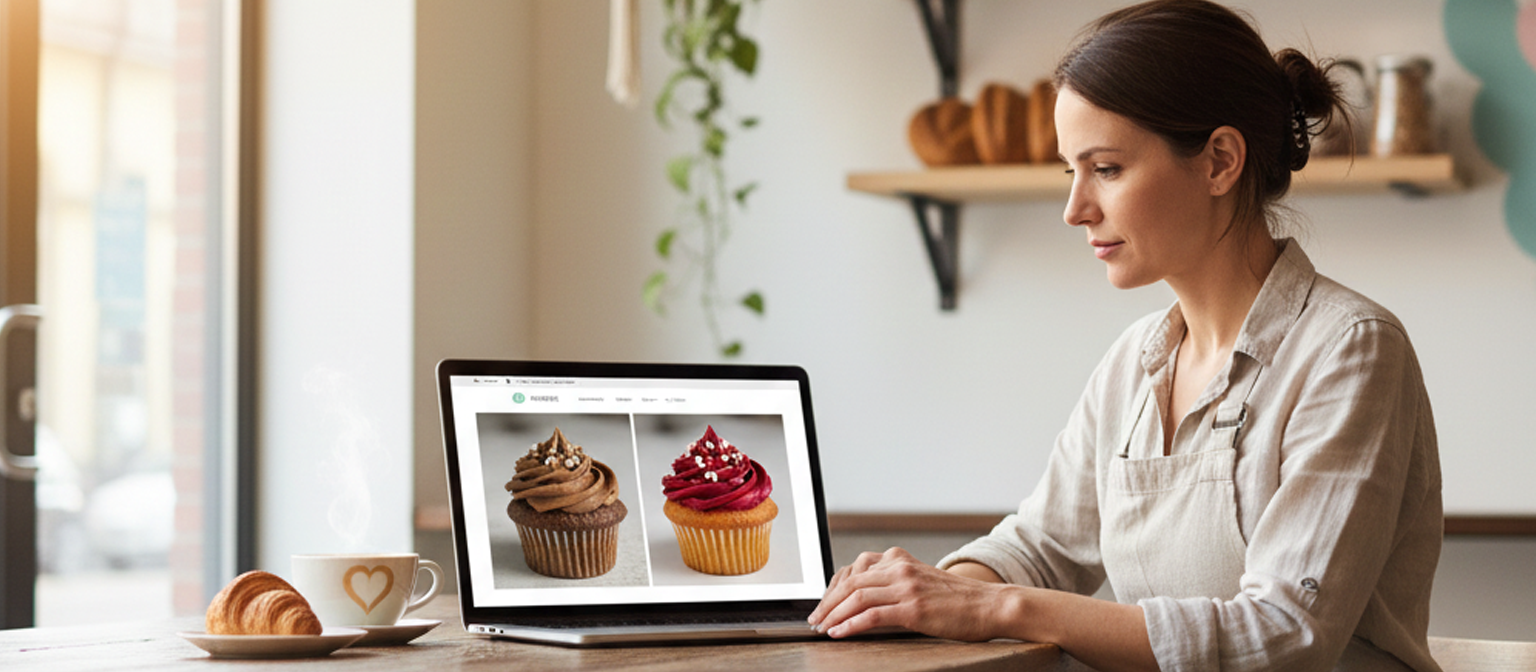
The image at the top of this article is a good example. It shows a bakery owner in her shop, looking at a laptop with two cupcake photos side by side: one darker, one brighter and more polished. That wasn’t a staged photoshoot; it came from a single AI prompt.
Here’s the exact prompt used to create it (you can have an AI write it too!):
“Wide-angle, photorealistic image of a small business owner sitting at a wooden table in a cozy bakery, wearing an apron and looking at a laptop screen. On the laptop, show a website with two cupcake photos side by side: the left cupcake photo looks dull and flat, the right cupcake photo looks brighter and more professional, as if it has been improved by AI. Soft natural light coming in from a large window, warm and inviting atmosphere, shelves with bread in the background, 16:9 horizontal composition, suitable as a website hero image.”
That prompt tells the AI exactly what story the image should tell: this is what it looks like when you upgrade your site photos with AI instead of doing a full reshoot.
That’s where a tool like Nano Banana actually helps: you talk to it instead of wrestling with menus. You upload your image, say “make the lighting warmer, remove the car in the background, and make the grass greener,” and the model does the grunt work. For website shots of machines, buildings, interiors, products, and general scenes, it’s more than good enough and much faster than starting from scratch in a heavyweight editor.
When you don’t have a photo at all, you switch from editing to generating. Google’s image models can create scenes from nothing: shop interiors, equipment shots, simple conceptual visuals, all based on whatever you describe. Browser‑based AI image generators do the same thing. You tell them “wide shot of a modern CNC machine shop, bright lighting, no people, room for text on the right,” and they give you several options you can download and drop straight into your site. For most blog headers, background sections, and conceptual images like “a stylized jet over a map of New York,” that quality is more than enough.
Canva’s AI image tools work especially well if you’re not a designer. Inside Canva, the AI image generator lives in the same place where you build banners, social posts, and site graphics, so everything stays in one workflow. You generate an image, then immediately resize it, add text, and snap it into a layout that looks intentional instead of “random square dropped on a page.” That matters more than people expect. A so‑so image in a well‑designed block usually beats a perfect image pasted into a messy layout.
If you’re only creating a small number of images, the cost question is straightforward: can you stay on free tiers? For now, yes. Canva’s AI image tools are available on its free plan with usage limits, which is fine if you’re not cranking out hundreds of assets a week. Google’s more advanced editing tools live in its cloud and consumer apps, some of which you may already use if you’re in Google Photos or trying Gemini. You only start seeing real bills when you generate or edit at high volume.
There are still trade‑offs. AI is improving at faces and small details, but if you need a tight shot of a real person, like a founder portrait or a team photo where trust is on the line, you still want a camera and a human editor at least once. These tools really shine everywhere else: wide shots of spaces, objects, diagrams, conceptual art, and background scenes that make a page feel designed instead of slapped together.
The bigger point is you don’t need to be an artist, and you don’t need to hire one for every small job. You just need to stop settling for “good enough” phone photos and ancient stock. Use the AI tools the big platforms already offer, like Google’s image editing, Canva’s AI generator, and focused tools such as Nano Banana, to clean up what you have and create what you’re missing. Your site will look more current and more trustworthy, and you’ll get there in minutes instead of hours.
Comments are closed